Arabic Dictionary Pack for Dynamics 365 Business Central
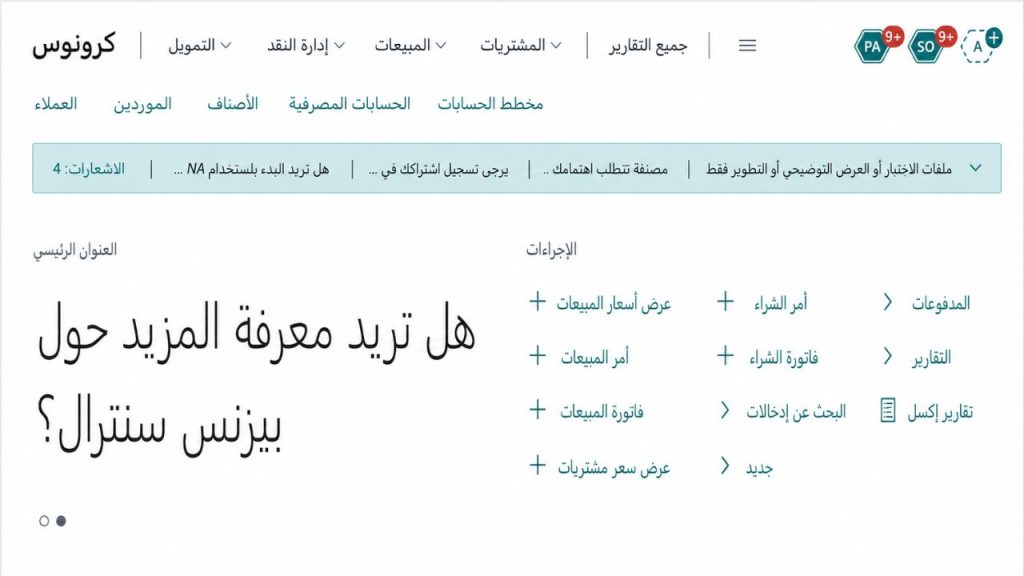
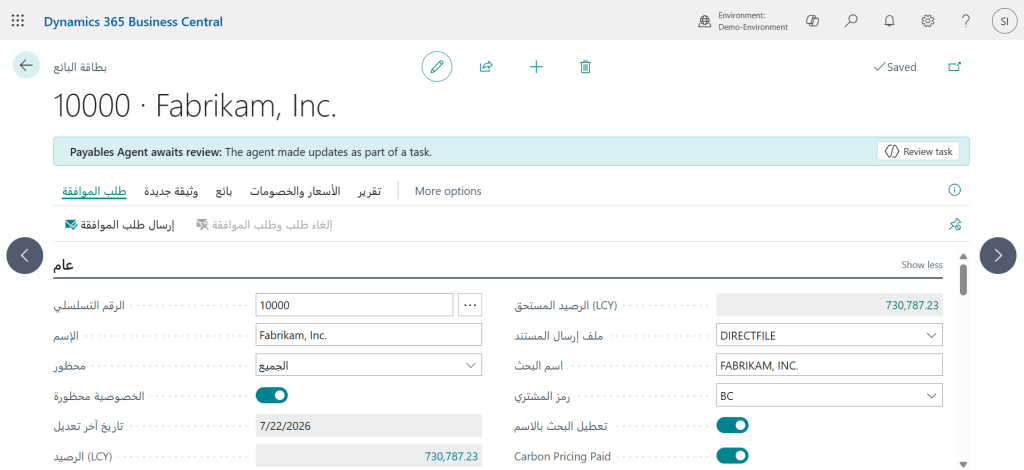
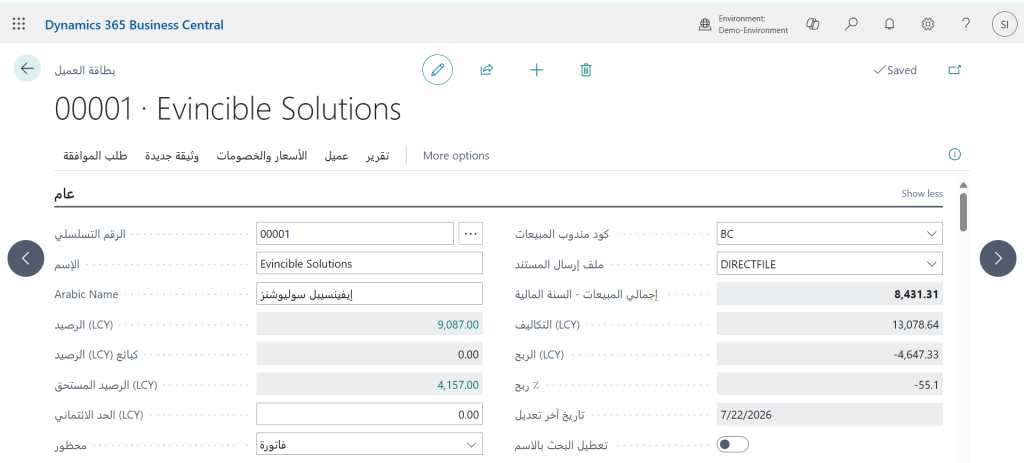
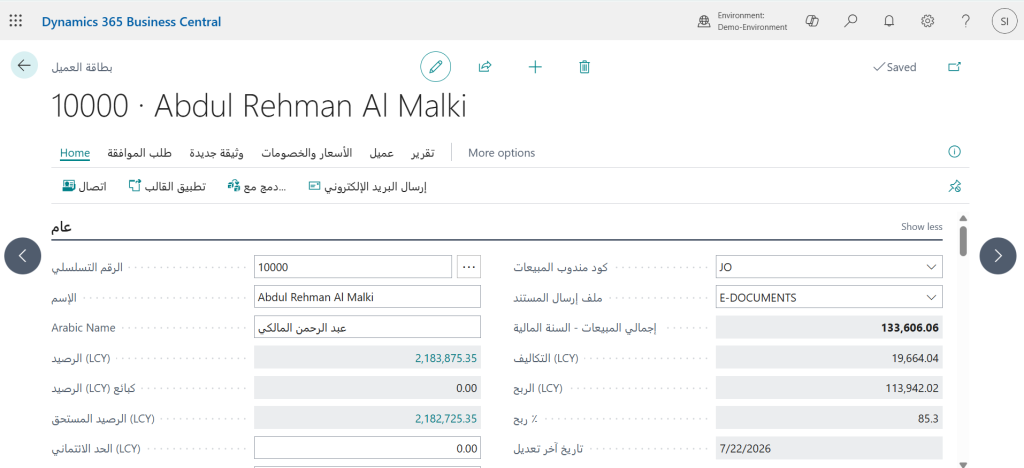
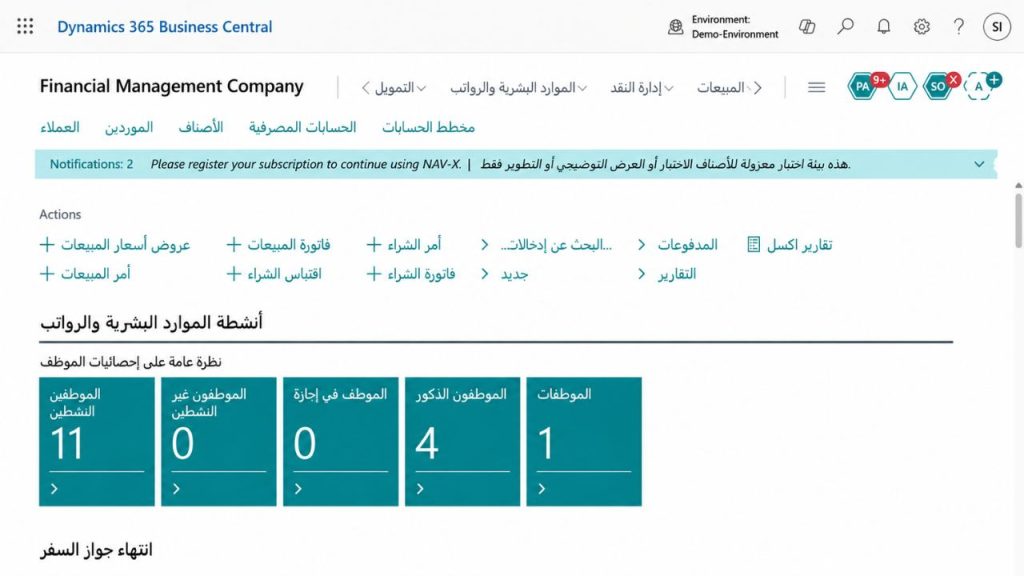
Every screen, menu, and report is fully translated into Arabic inside Business Central. The layout reads right to left, the way Arabic is written, for teams working across Saudi Arabia, the UAE, and the wider GCC region.
Complete Arabic Experience for Microsoft Dynamics 365 Business Central
Complete Arabic translation coverage
Every page, action, field, and system message across core Business Central modules is translated into Arabic.
True right-to-left layout
Arabic text, tables, and navigation render correctly in RTL — not translated labels sitting inside an English layout.
Essentials & Premium support
The Arabic language pack runs on Business Central Essentials and Premium editions, in the cloud.
Per-user language selection
Each user sets Arabic or English as their working language from their own profile — no tenant-wide switch required.
Standard extension deployment
Installed as a standard Business Central extension, so it runs alongside your existing apps, including VAT and e-invoicing add-ons.
Update-safe by design
No changes to Microsoft's base application, so it continues to work through monthly Business Central service updates.
Available Now
Arabic Dictionary Pack for Business Central, on Microsoft AppSource
The Arabic Dictionary Pack is published on Microsoft AppSource and installs directly onto your Business Central tenant. It's free to access for your first 12 months.
Built for Business Central teams across the GCC
Operating in Saudi Arabia, the UAE, or in the GCC
Give your team an Arabic language pack for Business Central that shortens onboarding and reduces data-entry errors across Sales, Purchasing, and Finance.
Managing daily Business Central use
Work in Arabic across ledgers, postings, and reports, without waiting on IT for manual translation workarounds.
Deploying Business Central for clients
Add a tested Arabic Dictionary Pack to every GCC rollout, instead of building translations project by project.
How the Arabic Dictionary Pack is deployed on your tenant
Submit an enquiry
Share your Business Central setup through the form below.
Tenant scoping call
We confirm your BC edition, environment, and go-live timeline.
Install & configure
The extension is installed on Sandbox, tested, then promoted to Production.
Go live & support
Admin walkthrough, plus a post-launch support window for your team.
Supporting Business Central deployments across the GCC
A Microsoft Solution Partner since 2005, Evincible Solutions has delivered Business Central and Dynamics 365 projects across 10+ countries, with offices in Jeddah, Riyadh, and the UAE.
"Switching our finance team to the Arabic Dictionary Pack cut onboarding time in half and stopped the posting errors we used to get from staff working in a second language."
— Finance Manager, trading company based in Riyadh